
PocketHost PCBeta
Your Minecraft server, on your own computer. Java or Bedrock, ready in minutes with a guided setup. Free, no account, and everything it needs (including Java) is downloaded for you.
PocketHost PC✕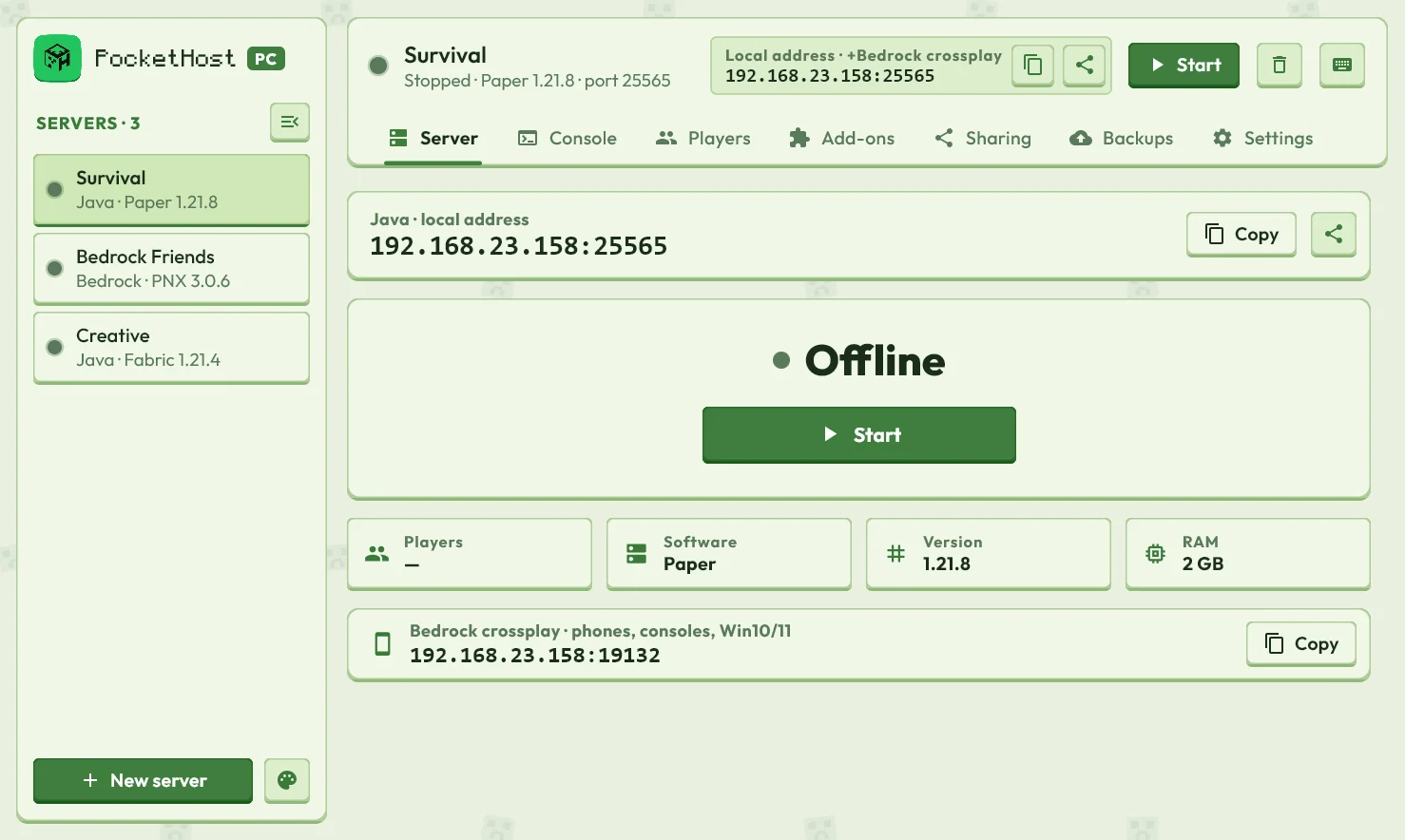
PocketHost PC is in public beta. Everything works, but expect rough edges and frequent updates — back up worlds you care about, and tell us about bugs on Discord.
Downloads
Version 0.5.1 Beta · all files are on GitHub Releases
macOS
What you get
Guided setup
Answer a few plain questions (who's playing, how much memory, how friends join) and your server is ready.
Java and Bedrock
Ten server types: Paper, Forge, NeoForge, Fabric and more for Java, plus Mojang's official Bedrock server.
Local address
Friends on the same Wi-Fi join with your computer's address. Nothing to set up.
playit.gg tunnels
Let friends anywhere join through a free playit.gg tunnel — no router or port forwarding.
Backups, console and players
World snapshots, a live console, whitelist, ops and bans — the same tools as the Android app.
Set up in a minute
No jargon. The guided setup asks who's playing, picks the right software and memory, gets friends connected, then starts your server.
- 1Who's playing: PC, phones and consoles, or both
- 2Pick the software, or keep the recommended one
- 3Choose memory and how friends join
- 4Create & start
PocketHost PC✕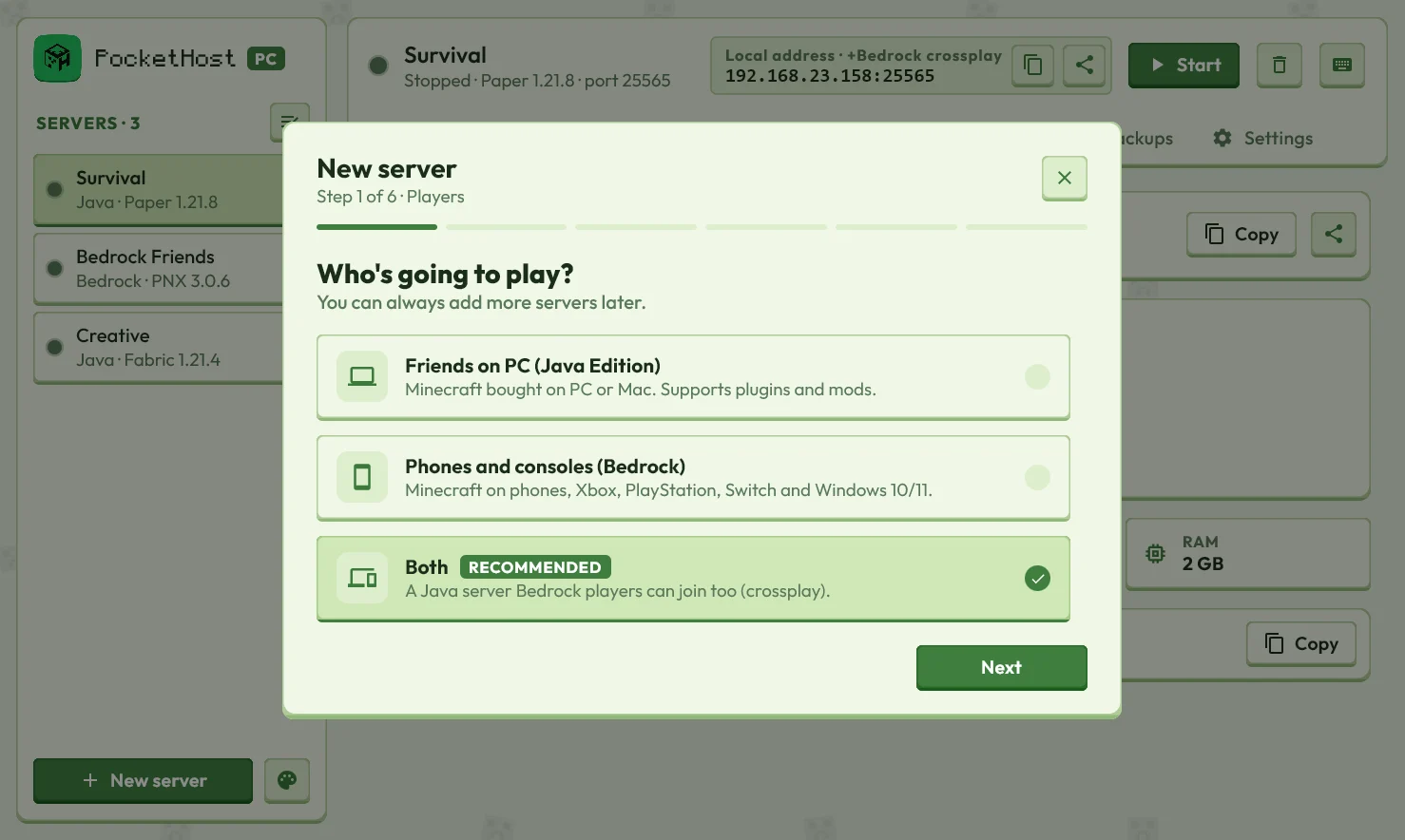
Every kind of server
Plugins, mods or pure vanilla, for Java Edition and Bedrock Edition.
Installing
PocketHost PC isn't code-signed yet, so Windows and macOS show a warning the first time you open it. That's expected for a new, independent app — here's how to get past it.
Windows
- Open the downloaded .msi.
- If SmartScreen says “Windows protected your PC”, click More info → Run anyway.
- Launch PocketHost PC from the Start Menu or desktop shortcut.
macOS
- Open the .dmg and drag PocketHost PC into Applications.
- Open it once; macOS will block it.
- Go to System Settings → Privacy & Security and click Open Anyway.
Linux
- Arch: sudo pacman -U PocketHostPC-*.pkg.tar.zst
- Debian/Ubuntu: sudo apt install ./PocketHostPC-*.deb
- Fedora/RHEL: sudo dnf install ./PocketHostPC-*.rpm
- Any distro: extract the .tar.gz and run PocketHostPC/bin/PocketHostPC
- Find PocketHost PC in your app menu.