


HostyourMinecraftserver
fromyourphone
Stop paying $10/month for hosting. Run a real Java Edition server on your Android device with Bedrock crossplay support. No setup. Just tap and play. Prefer your computer? Get PocketHost PC.
Your server.
Your PC. Free.
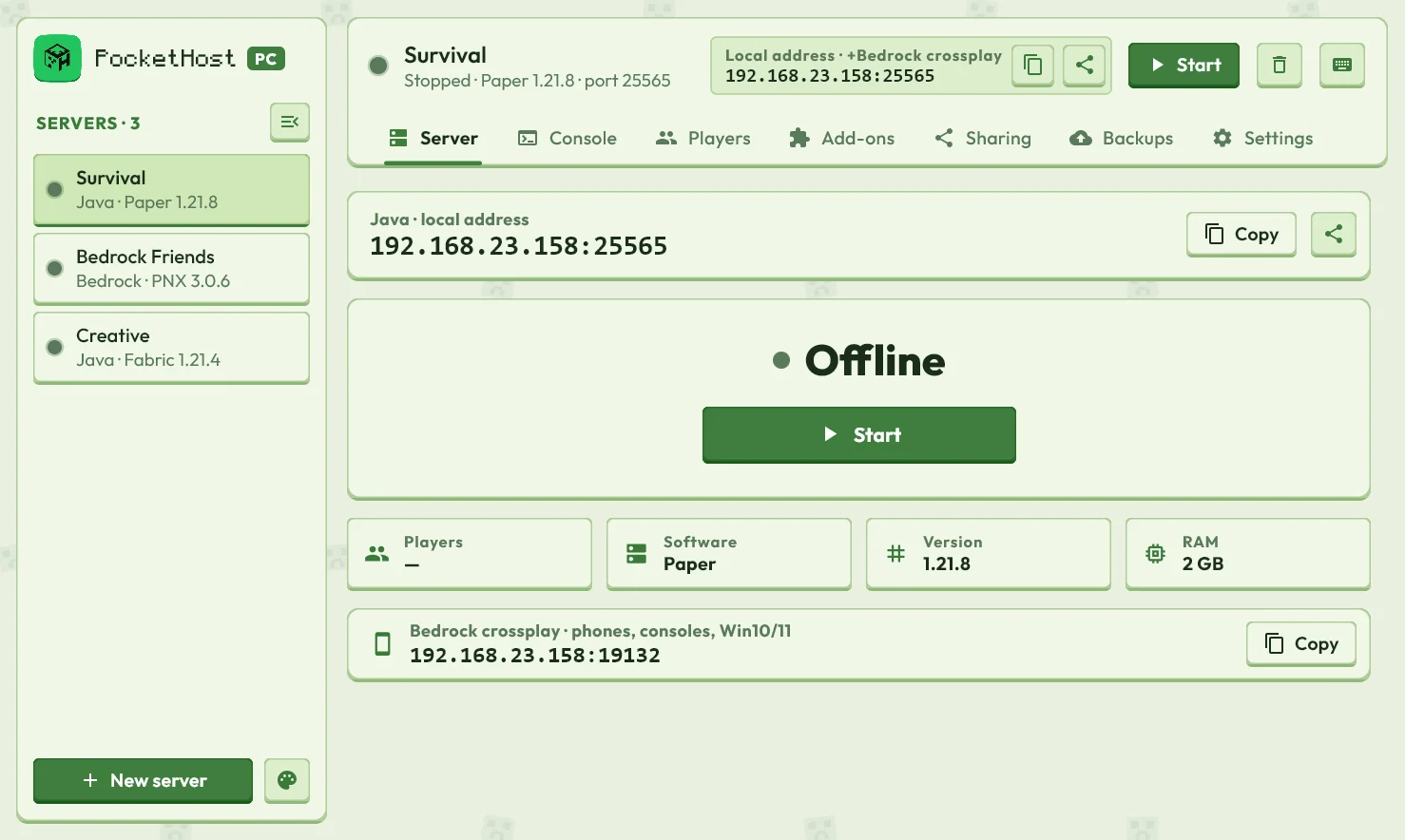
Host Minecraft Java or Bedrock on Windows, macOS or Linux. A guided setup does the hard part — friends are playing in minutes.
 PocketHost PC✕
Host in 3 Steps
No technical knowledge required. If you can install an app, you can host a server.

Download the App
2 secondsInstall PocketHost on your Android device. No root required.

Start Your Server
1 tapOne tap launches a real Java Edition PaperMC server with built-in Bedrock support on your phone.

Invite Friends
instantShare a join link. Java & Bedrock players can connect directly to your phone — no IP needed.
Powerful Mobile Interface
Built for touch-first server administration. Tap any phone to inspect real-time metrics, live console commands, and player controls in high-resolution detail.
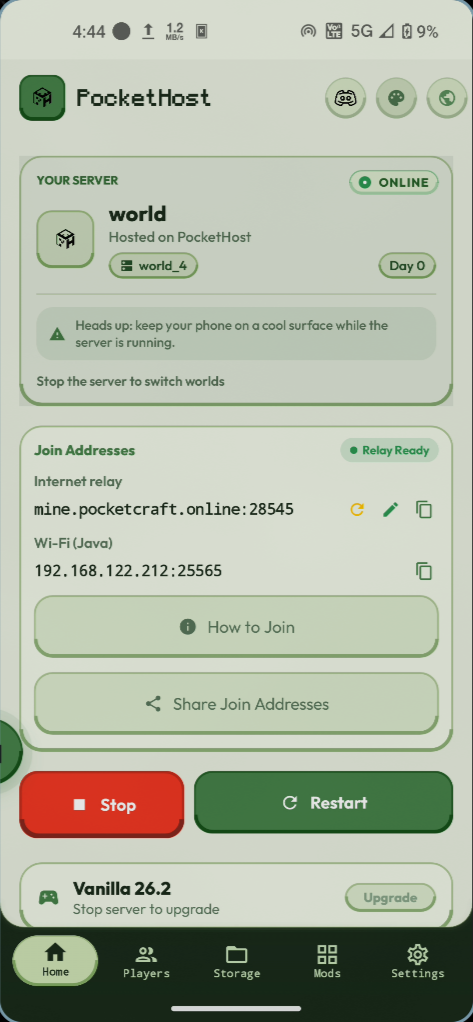
Server Dashboard
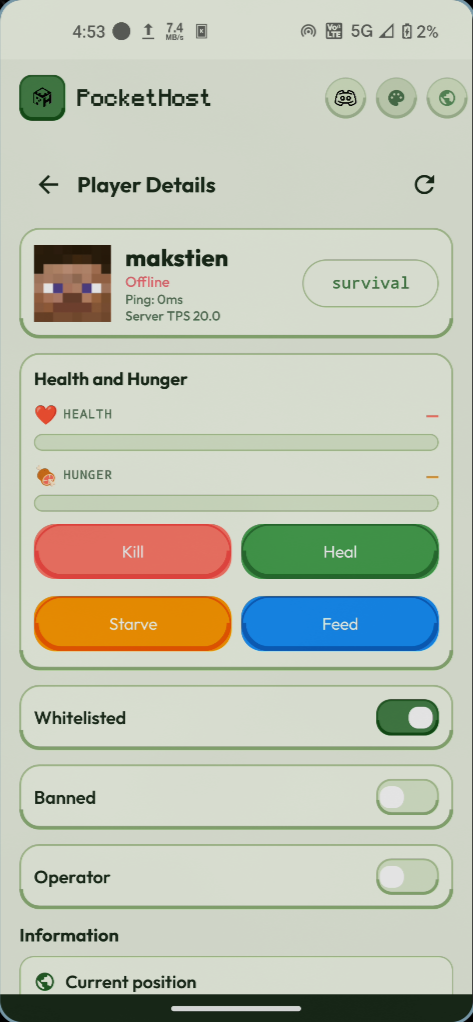
Player Controls & Stats
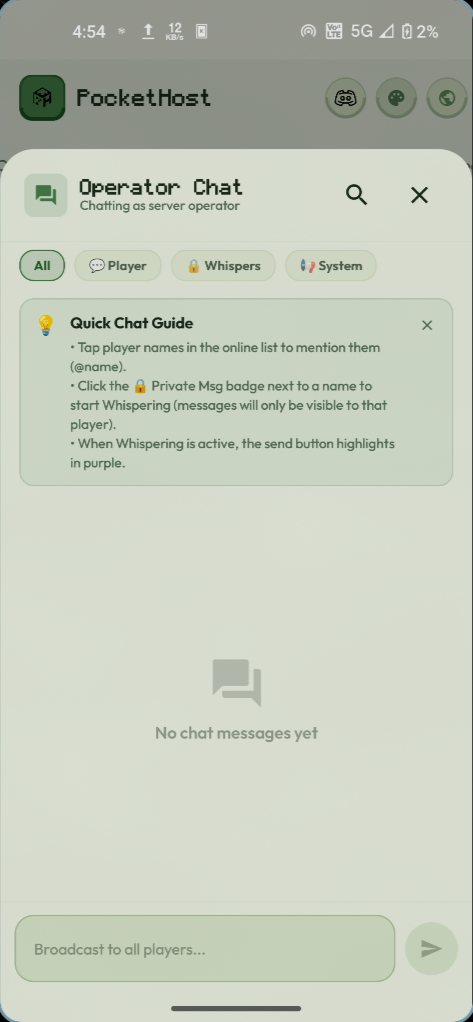
Operator Chat & Terminal
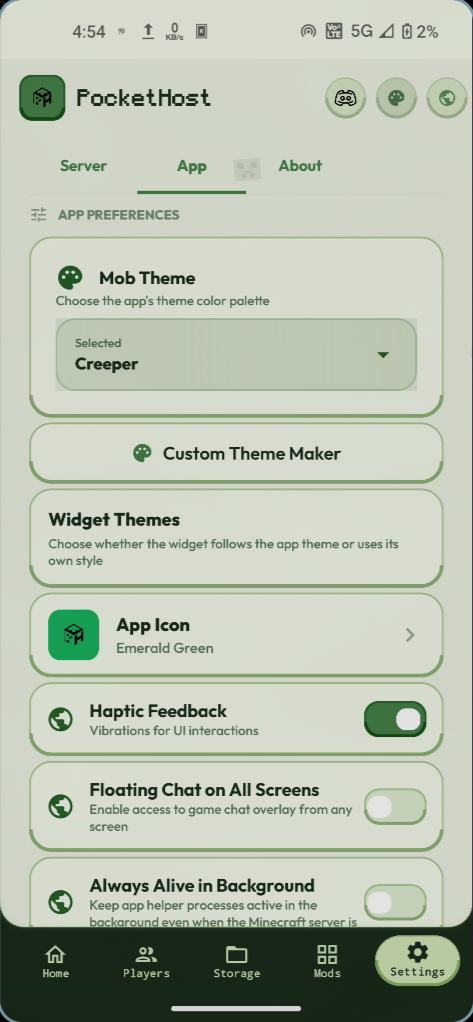
Themes & Customization
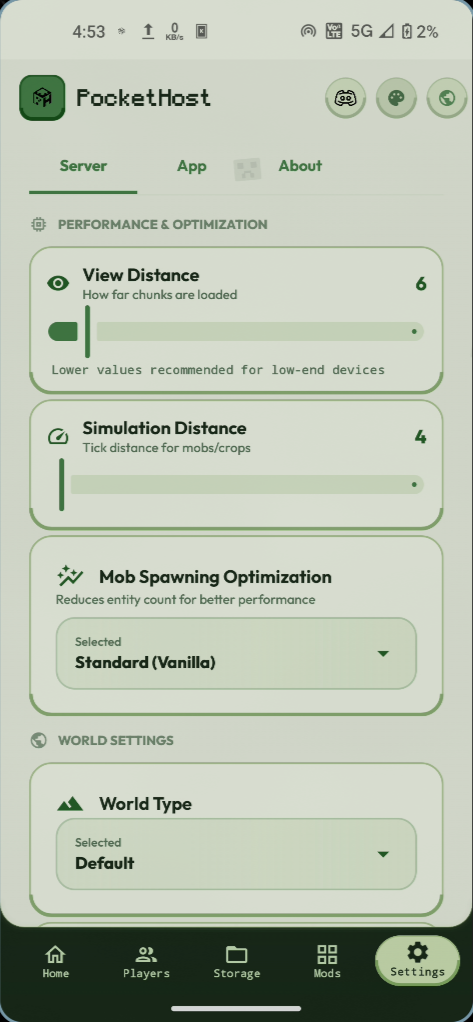
Performance & Optimization
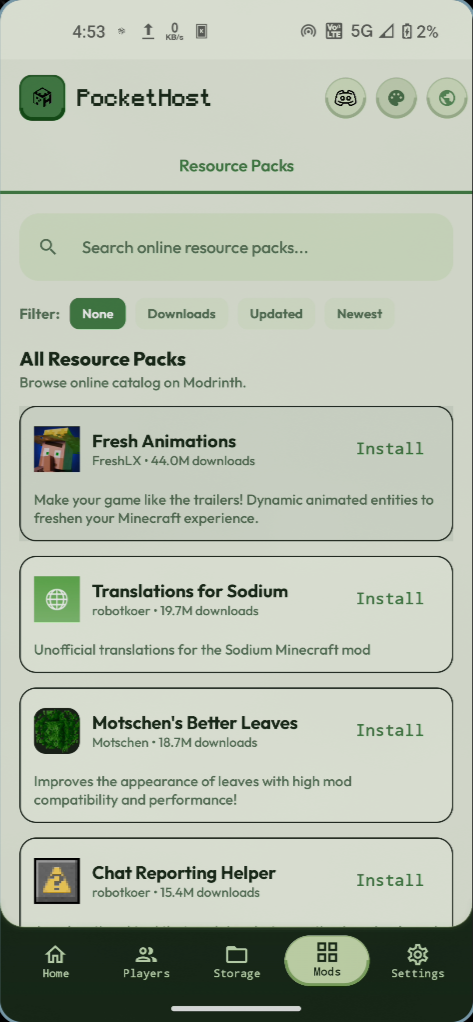
Resource Packs & Mods
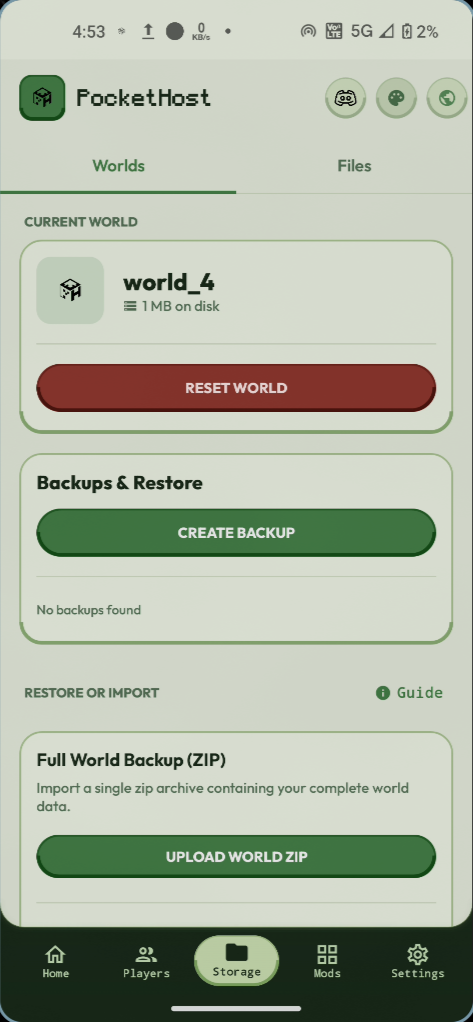
Worlds & Cloud Backups
1 of 7 • Tap any phone to inspect
Run your server from any browser
Sign in with the Google account you use in PocketHost and control every server on your phones from a laptop, a school computer or a friend's phone.
- Start, stop and restart without touching the phone
- Console, plugins, settings and file editing
- Every player who ever joined, where they are and what they carry
What our players say
A selection of real 5-star reviews from PocketHost players on Google Play (some shortened). Read them all
“Honestly, a 10/10 experience! I've played on this server with 4–5 of my friends, even using Orbital Strike Cannons, and surprisingly, it didn't lag at all! You can create a FREE server just by watching one ad. Literally, just ONE ad! Of course, the developers deserve to earn something too. So if you're looking for free Minecraft server hosting, I genuinely recommend giving this app a try. Trust me, you won't regret it!”
“This might be one of the greatest projects I've seen released for FREE to the public. The effort and constant work of the developers doesn't go unnoticed—it's truly amazing to see a project like this be constantly improving and in the works for people to enjoy minecraft servers in such an innovative way. This app and community is truly outstanding, it deserves all the praise. I recommend!!! It's amazing!!!”
“best app for java and bedrock servers they show add but that's too small and subscription is also less price, must try”
“I like it because I was able to play with my friend and doesn't lag in my game play only downside is my phone”
“I like this app soo muchh and I just use this hosting app dude i swear it made my life easy”
“this is best hosting easy setup”
“really easy to use.”
“best minecraft hosting app ever, literally they are so kind … and they actually respond to us in time, the servers stability is also pretty good, It is also COMPLETELY FREE … Overall a good support system and a REALLY Good hosting app, I would definitely recommend”
“Loved The App,Community Is Pretty Amazing ❤️They Actively Fix Bugs.Best App I Could Ever Expect Looking Forward To Your Upcoming Projects As Well.”
“The best server hosting app ever ther are no ads and no bloatt too and a it's a seamless experience and easy to use …”
“It an absolutely goated app, and it works very good and is easy to setup”
“Fast support, great server host, and lovely staffs. Hopefully they add a Philippine region next!”
“thanks pockethost I am soo glad that you gave me opportunity to host a free server thanksss”
“best hosting ever I seen 💖💖💖💖”
“Beauty at its peak”
“very useful and nice app”
“5 star full support”
“broo!!!! like trust this aap . 100% free . loved it like the best server that I have ever made”
“this is the best …”
“great app honestly and most importantly it's free”
“I'm so excited for this app”
“… It is one of the best hosts if you got a capable phone.”
“this is PEAK …”
“best app ever for minecraft server hosting”
“This is a hidden gem🤯”
“peakkkkk”
“Mast Hai 2000 fps wowww”
“good”
How PocketHost Compares
No waiting queues, no auto-shutdowns after 5 minutes of walking away, and no surprise bills. Here is how PocketHost stacks up against Aternos, Minehut, and traditional hosting.
PocketHost runs right on your phone. Completely free, no credit card required.
Changelog
Every update we ship, written for you — not developers.
- PerfDramatically faster server startup — boots in seconds, not minutes
- NewOptimized APK with smaller download size
- FixImproved stability for long-running sessions
All releases are free forever · No subscriptions required
Frequently Asked Questions
Quick answers before you host your first world.
What is PocketHost?
PocketHost is a free Android app that turns your phone into a Minecraft server. It runs a real PaperMC Java Edition server on the device, lets Bedrock players join through Geyser crossplay, supports plugins, and gives your friends a public address to connect to without port forwarding.
Is PocketHost really 100% free?
Yes, hosting is free. No credit card and no coin grinding: PocketHost runs on your phone rather than costly cloud servers. The free version shows some ads, and an optional Premium plan removes them and adds full remote control, but you never need it to host.
Do I need a PC to use PocketHost?
No. PocketHost runs entirely on your Android phone. If you'd rather host from a computer, PocketHost PC does the same on Windows, macOS and Linux: pockethost.online/pc.
Can Bedrock players join my server?
Yes. PocketHost supports Bedrock crossplay so players across editions can connect when configured.
Do I need to port forward my router?
No. PocketHost uses relay networking so you can host without manual router setup in most cases.
Does PocketHost work on Chromebooks or PC emulators?
Yes. Phones use the normal download. Chromebooks and PC emulators (BlueStacks, Google Play Games on PC and similar) have an Intel or AMD processor, so they need the x86 version, which you can download from this page.
Will my world be deleted after an update?
No. Updating the app does not remove your worlds. Keep regular backups for safety.
Get PocketHost for Android
Install PocketHost free from Google Play.
Version: Latest Release | Minimum Android: 8.0+
Free to Use • Instant Download • No Root Required